- Meta Ads
- homeowners
- method
How to structure a Meta campaign that brings enquiries in
How to structure a Meta campaign: account structure, audiences, creative and measurement to turn a budget into qualified quote requests.
Published on · Joh · 10 min read
Most campaigns that fail on Meta are structured like e-commerce campaigns: one broad audience, a conversion objective, and the hope that the algorithm does the rest.
It does not work, because a quote request is nothing like an impulse purchase. Someone having a heat pump fitted or a kitchen redone compares, asks for several quotes and talks it over at home before signing.
Here is a structure that takes that reality into account.
1. Decide what you are asking for
First things first: what action are you asking for?
Meta's native form. Filled in without leaving the app, so plenty of volume. In exchange, weak commitment: the person tapped within three seconds between two videos. The share of appointments actually kept shows it.
A landing page with a booking. Less volume, more commitment. The person clicked, read, picked a slot. The cost per enquiry is higher than with a native form, but the quality is not comparable. For reference, in home and home improvement, the average cost per enquiry reaches $42.95 against $27.39 across all industries. (source)
When the order value is significant, the landing page almost always wins. You are not after contacts, you are after appointments that happen.
2. Account structure
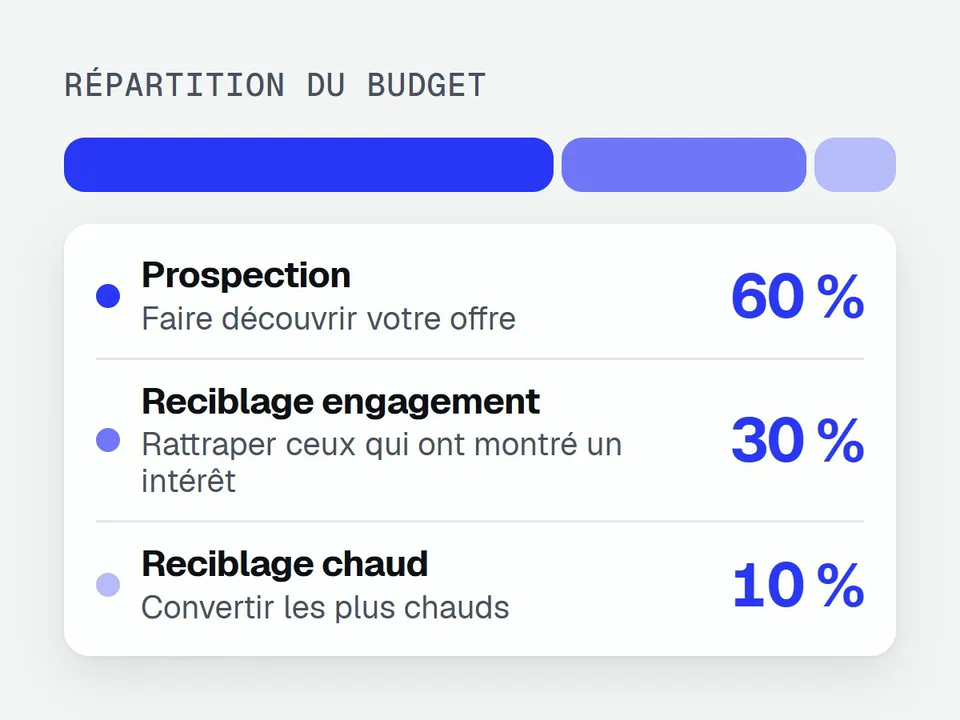
Three campaigns, not one.
Campaign 1: prospecting. Around 60 % of budget. Purpose: introduce your offer. Broad audiences with an interest signal, excluding your warm audiences and your existing customers.
Campaign 2: engagement retargeting. Around 30 %. Targets those who watched at least 50 % of a video, interacted with your page, or visited your site. They know you without having acted.
Campaign 3: warm retargeting. Around 10 %. Visitors to your offer pages, abandoned forms, people who opened the calendar without booking. Small budget, high performance.
Do not merge those three campaigns to "let the algorithm optimise". You would lose sight of what produces what, and the budget would drift mechanically towards retargeting, which always shows the best short-term numbers and runs dry fast.
3. Audiences
What works on Meta, in order of effectiveness:
Lookalikes of your customers. Upload your customer list, build a 1 % lookalike. It is the strongest signal Meta has for finding comparable profiles.
Lookalikes of your best prospects. If you do not have enough customers, use the people who booked an appointment.
Broad targeting with conversion optimisation. Counter-intuitive, but often effective once conversion tracking is properly set up. The algorithm finds profiles that convert better than your targeting assumptions do.
Interest-based targeting. The least precise on Meta, which is not LinkedIn. Useful alongside the rest, rarely as the foundation.
4. Creative
This is where most of the performance is decided, well ahead of campaign settings.
One creative per angle, not per format. Cutting the same video in 9:16, 4:5 and 1:1 tests nothing. Testing "you are losing time on X" against "your competitors already do Y" tests something.
Five to eight different hooks per angle. The first three seconds decide whether the video gets watched. The same video with a different hook can multiply or divide its performance.
A human face in at least half the creatives. Seeing the owner speak builds a trust no animation replaces.
A monthly refresh. Meta now applies a surcharge to ads with low engagement. A creative running too long on a narrow audience costs more and more to deliver.
5. Measurement
The point that sinks the best-built campaigns.
Install the conversions API, not just the pixel. Without it you lose a significant share of conversions to tracking restrictions, and the algorithm learns on incomplete data.
Declare intermediate events. Offer page viewed, calendar opened, appointment booked, appointment kept. The algorithm optimises on whatever you give it.
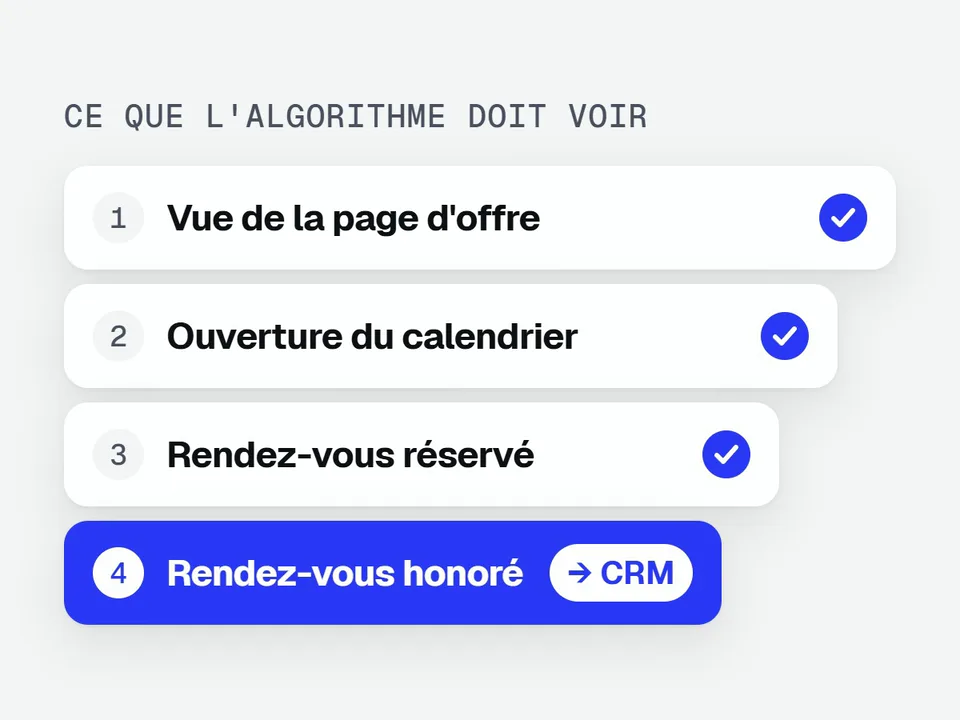
Feed quality back from your CRM. A booked appointment is not a kept appointment, and a kept appointment is not a customer. Without that loop, you are optimising on volume.
Look at 90 days. Plenty of advertisers cut their campaigns after 30 days, before Meta has finished learning and before the first enquiries have had time to turn into signed work.
6. The weekly rhythm
A simple routine, which is enough in most cases:
Monday. Read last week's numbers: cost per appointment, share kept, ads losing steam.
Tuesday. Cut the creatives that no longer produce. Put the replacements, already prepared, live.
Continuously. Keep creative production ahead, so you are never forced to leave a worn-out ad running for want of an alternative.
End of month. Review: what the channel cost, what it brought back, what changes next month.
The mistakes that come back most often
Optimising on clicks. You will get clicks. Not appointments.
Changing a campaign every day. Every significant change restarts the learning phase. Let it breathe for three or four days minimum.
Sending traffic to the home page. An ad promises something specific; the landing page has to keep that specific promise.
Treating Meta like LinkedIn. People are there for something other than work. Your ad has to fit into the feed, not look like a sales brochure.
Going further: What Meta Ads budget to plan and AI-generated video or a real shoot. First of all: choosing the right campaign objective.
Want a look at the campaigns you run today? . We go through your structure, your creative and your numbers. You leave with the three most useful changes to make.